
ReList journal
10–20 SKU Pilot: Automate Dropshipping for Resellers in 2–6 Weeks

Automating dropshipping is achievable once you connect three subsystems: inventory sync to stop oversells, order routing to send purchases to the right supplier, and tracking plus returns to keep customers informed after checkout. Skip any one piece and automation just moves the chaos faster. Platforms like ReList are built around this exact chain, pairing supplier discovery with order coordination and a real-time status tracker.
TL;DR:
- Inventory sync requires frequent feed updates, exact SKU matching, and a small stock buffer to prevent oversells and stockouts.
- Order routing must include retry logic, clear rules for multiple suppliers, and handling of cutoff times to avoid losing orders silently.
- Tracking should provide accurate estimated delivery dates from postal APIs or supplier processing times, not just shipping speeds.
- Pricing automation must enforce minimum margins and avoid selling below supplier costs to prevent losses.
- Pilot automation with a small catalog, thorough testing of supplier reliability, and staged rollouts to ensure stable, scalable fulfillment operations.
Table of Contents
- Essential components: inventory, routing, tracking, pricing, and returns
- Tool categories and a vendor-agnostic feature checklist to evaluate automation platforms
- Step-by-step rollout: pilot, test orders, safe enablement, and scaling
- Failure modes and supplier-testing checklist
- How ReList’s documented features map to the automation playbook
- Handling customer service automation including chatbots and ticketing systems
- Legal and compliance considerations in automated dropshipping
- Author perspective: expected costs, staffing changes, and realistic ROI timeline
- How ReList helps resellers automate discovery, listing, and fulfillment
- Sources
- FAQ
Essential components: inventory, routing, tracking, pricing, and returns
Automation fails or succeeds at the subsystem level, not as one big switch you flip. Each piece has its own failure points, and skipping the checks below is how sellers end up refunding orders they never should have accepted.
Inventory sync starts with feed cadence. A supplier feed refreshed once a day will not catch a stockout that happens at 9 a.m., so you sell an item that no longer exists. SKU mapping matters just as much: if your internal SKU does not match the supplier’s exactly, your system either double-counts stock or drops it entirely. Oversell prevention means building a buffer, holding back a unit or two of fast-moving stock so a sync delay does not turn into a canceled order.
Order routing gets complicated the moment you work with more than one supplier. Rules need to decide which supplier gets an order when two carry the same product, what happens at a supplier’s daily order cutoff, and how the system retries a failed submission instead of silently dropping it. NetSuite frames this well: order automation is about coordinating across disconnected teams, channels, and systems, not a single “auto-order” button. Routing without retry logic is routing that quietly loses orders.
Tracking is where most automated stores under deliver. Capturing a carrier tracking number is the easy part. The harder part, and the part that actually affects conversion, is showing customers an estimated delivery date rather than just a shipping speed label. Baymard’s research found that 41% of benchmarked sites failed to show an estimated delivery date during checkout, which adds friction right when a buyer is deciding whether to trust you. Calculating that date reliably usually means pulling from a postal API or building server-side rules based on your suppliers’ actual processing times, not guessing.
Pricing automation needs guardrails as much as speed. A repricing rule that only checks competitor prices without checking your own margin will happily sell you into a loss. Build in a floor price tied to supplier cost plus platform fees before you let any rule adjust prices automatically.
Returns are the subsystem sellers plan for last and regret it. Supplier return policies vary widely. Some accept returns within a set window, others do not accept them at all for certain categories, so your automated RMA process has to check the supplier’s actual policy before promising a customer anything. A refund flow that fires before the supplier confirms the return leaves you covering the cost yourself.
- Inventory sync needs frequent feed refreshes, exact SKU mapping, and a small safety buffer on fast movers.
- Order routing requires clear rules for multi-supplier products, cutoff times, and automatic retries on failure.
- Tracking should capture the carrier number and calculate a real delivery date, not just display shipping speed.
- Pricing rules need a margin floor so repricing never sells below your actual cost.
- Returns automation must check each supplier’s specific policy before issuing a refund promise.
Tool categories and a vendor-agnostic feature checklist to evaluate automation platforms
Most automation tools fall into one of three integration approaches, and picking the wrong one for your stage of business is a common way to overspend or under-deliver.
- Platform plugins live inside your storefront (a marketplace or store builder’s own app ecosystem) and are the fastest to set up but usually the most limited in routing logic.
- API connectors link your store to a supplier’s system directly, giving you more control over data but requiring someone to maintain the connection as either side changes.
- Middleware or ops platforms sit between multiple stores and multiple suppliers, centralizing inventory, orders, and tracking in one place, which is the approach that scales best once you sell on more than one channel.
Whichever approach you pick, score it against a consistent feature checklist rather than a feature count. Look for feed validation that flags missing attributes or broken images before they go live, auto-ordering that respects supplier cutoffs, tracking ingestion that updates customers without manual copy-paste, delivery-date calculation rather than raw shipping speed, configurable routing rules for multi-supplier catalogs, error handling that alerts you instead of failing silently, and audit logs so you can trace exactly what happened when an order goes wrong.
There is no single best tool for every seller. Comparative reviews on G2 show sellers trading off ease of use, integrations, reporting depth, and fulfillment reliability differently depending on their catalog size and supplier mix. A seller running twenty SKUs through one supplier has different needs than one running two thousand SKUs across five. The honest exercise is scoring candidate tools against your own workflow, not against a marketing page.
Ease of use, reliability, and integration depth pull against each other more often than vendors admit. The simplest tool to set up is rarely the one with the deepest routing logic, and the tool with the deepest routing logic usually asks more of your technical setup. If you are running a lean operation with one or two people, weight ease of use higher early on and add integration depth as volume grows. If you already have someone who can manage API connections, integration depth pays off faster.
Support quality is where automation quietly succeeds or fails. Ask any platform what its service level commitment actually is for order-sync failures, not for general support tickets. Ask how retries are handled when a supplier’s system times out. And ask whether there is a human-in-the-loop fallback, meaning a person gets alerted when an order sits unresolved past a threshold, rather than the order just disappearing into a queue.
Pro Tip: Before signing up for any automation tool, ask for a sandbox or trial period and run five real test orders through it before connecting your full catalog.
Step-by-step rollout: pilot, test orders, safe enablement, and scaling
Rolling out automation all at once is how sellers end up with a flood of canceled orders and no idea why. A staged rollout catches problems while they are still small.
- Map your current manual tasks. Write down every step you currently do by hand: checking stock, placing supplier orders, copying tracking numbers, answering “where is my order” messages. This list becomes your automation scope, and anything not on it should not be automated yet.
- Pick an integration path and limit your pilot catalog. Choose a plugin, API connector, or middleware platform based on your technical resources, then select 10 to 20 SKUs from your most reliable supplier for the pilot. Do not start with your entire catalog.
- Run test orders before trusting the system. Place real orders through the pilot SKUs and track processing time, packaging accuracy, and whether tracking numbers arrive on schedule. Practitioner guidance on supplier feed quality consistently points to unreliable suppliers, not weak software, as the actual cause of failed automation.
- Enable automation in layers, not all at once. Start with inventory sync only, watch it for a week, then add automated customer notifications, and only after both are stable should you turn on auto-fulfillment, and only for the low-risk SKUs you tested.
- Set monitoring thresholds before you scale. Decide in advance what fulfillment time, error rate, and refund rate will trigger a pause, so you are not making that decision emotionally in the middle of a bad week.
The order of operations matters more than the speed of rollout. A seller who takes six weeks to move through these steps carefully will have a more stable operation than one who automates everything in six days and spends the following month fixing it.
Once inventory sync is live and stable, the temptation is to immediately switch on full auto-fulfillment. Resist it. Notifications are the next safest layer to add because they touch the customer experience without touching money movement. A customer getting an automated “your order has shipped” email with a tracking link is low risk even if the underlying data has a small error. Auto-fulfillment, where the system places the actual supplier order without a human checking it first, is the highest-risk layer, which is why it comes last and only for SKUs you have already proven out with test orders.

Test orders deserve more attention than most sellers give them. Placing one test order and calling it good is not enough, because a single order does not reveal whether a supplier is consistent. Place several test orders spread across a week or two, covering different times of day and different days of the week, since supplier processing speed often varies by day (weekend orders, for instance, frequently sit longer before being picked up). Check three things every time: how long the supplier took to mark the order processed, whether the tracking number appeared within a reasonable window, and whether the package that arrived matches what was ordered, including correct variant, color, and quantity.
Monitoring is not a one-time setup. The KPIs that matter most are fulfillment time (how long from order placed to order shipped), error or exception rate (how many orders needed manual intervention), and refund rate (what share of orders resulted in a refund or return). Set a specific number for each as your pause threshold. If fulfillment time creeps past your threshold for a supplier, or refund rate climbs above what your margin can absorb, that is your signal to pull that SKU back into manual review rather than letting automation keep running on autopilot.
- Fulfillment time: track from order placement to shipment confirmation.
- Error or exception rate: track how many orders require manual correction.
- Refund rate: track what share of orders end in a refund or return.
Scaling past the pilot means repeating steps two through four with a new batch of SKUs or a new supplier, not expanding the original pilot’s rules to cover everything at once. Each new supplier has its own reliability profile, and treating them as identical is one of the fastest ways to reintroduce the problems you just fixed.
Failure modes and supplier-testing checklist
Most automation failures trace back to one of three sources: bad feed data, slow or inconsistent suppliers, or rules that were never actually tested under load. Knowing what each looks like in practice saves you from diagnosing the wrong problem.
Feed quality failures show up as missing product attributes, weights that do not match the actual shipped item, or SKU drift where a supplier quietly changes an identifier without notice. The fix is not more automation, it is validation: a step that checks incoming feed data against expected fields and flags anything missing before it ever reaches a customer-facing listing.
Processing delays and cancellation risk are the clearest sign a supplier is not ready for automation. Reviews and practitioner notes on supplier reliability consistently point to slow or inconsistent processing as the root cause of refunds, not flaws in the automation software itself. If a supplier’s processing time varies wildly between orders placed on the same day, that inconsistency will eventually surface as a customer complaint.
A concrete test-order checklist before trusting any supplier with automated fulfillment:
- Place at least five test orders spread across different days of the week.
- Confirm processing time from order placement to shipment for each one.
- Check that packaging matches what you would want a real customer to receive.
- Verify tracking numbers appear within the supplier’s stated window and actually update.
- Test at least one order with a variant (different size, color) to confirm accuracy.
Checkout friction is not only about fulfillment speed. Baymard’s broader checkout usability benchmarking found that fixing common checkout issues, including delivery-date visibility, can raise conversion by an average of around 35% according to Baymard’s checkout usability report, which is a reminder that the customer-facing side of automation matters as much as the backend.
When a SKU fails these tests, the answer is not to automate around the problem, it is to switch that SKU back to manual handling until the supplier’s numbers improve or you replace the supplier entirely. Automating a broken process just breaks things faster.
How ReList’s documented features map to the automation playbook
ReList is built around the same subsystems this playbook covers, applied specifically to resellers who do not want to hold inventory. Resellers choose from approved supplier products, receive unique images for each listing, and only pay for an item after it sells, with the supplier handling storage and shipping once an order comes in.
That structure maps directly onto the components covered above:
- Product discovery from approved suppliers reduces the feed-quality risk described earlier, since listings come from a vetted catalog rather than an unverified feed.
- Unique listing images address a trust signal that matters at the point of sale, separate from but related to the delivery-date trust signal covered above.
- The pay-after-sale model removes upfront inventory cost and shifts fulfillment coordination to the supplier once a sale happens, which is the routing and fulfillment layer this playbook describes.
- A real-time status tracker gives resellers the order-status visibility that, in a fully manual setup, usually means checking email or messaging a supplier directly.
For a reseller applying this playbook specifically through ReList, the pilot approach stays the same: pick a small approved catalog to start, use the status tracker to monitor how orders move from placed to shipped, and run a handful of test orders before committing to a larger catalog. The subsystem, testing, and monitoring principles covered earlier apply just as much here as with any other platform, since the checklist is about your process, not any single vendor’s feature list.
Handling customer service automation including chatbots and ticketing systems
Customer service is the layer most sellers automate last, but it is often the one customers notice most directly. A basic chatbot can handle repetitive questions like “where is my order” or “what is your return policy” without a human needing to type the same answer fifty times a day. The key is scoping it correctly: a chatbot should answer questions where the answer is a known fact (a tracking link, a policy statement) and hand off to a person the moment a question involves judgment, like a damaged item or a complaint.
Ticketing systems matter just as much as the chatbot itself. Every customer message, whether it starts as a chat, an email, or a marketplace message, should land in one place with a status (open, waiting on supplier, resolved) so nothing gets answered twice or missed entirely. This is especially important when supplier communication is involved, since a refund request often needs the supplier’s confirmation before you can respond, and a ticketing system keeps that dependency visible instead of buried in a separate inbox.
The mistake to avoid is over-automating tone. A chatbot that sounds robotic when a customer is frustrated about a late order does more harm than a slower human reply. Automate the fact-finding, not the empathy.
Legal and compliance considerations in automated dropshipping
Automated dropshipping does not remove your legal responsibilities, it just changes who is executing the steps. You are still the seller of record in most transactions, which means consumer protection rules around accurate product descriptions, delivery timeframes, and refund rights apply to you even when a supplier is the one shipping the item.
Rules vary by country and by marketplace, so a policy that is standard in one region may not hold in another; check the specific consumer protection and e-commerce rules that apply where your customers are located rather than assuming one set of rules is universal. Automated pricing and listing tools can also create compliance risk if they pull product claims or images from a supplier feed without review, since you are responsible for what appears on your listing even if a script generated it.
Tax obligations are another area automation does not resolve on its own. Sales tax, VAT, or GST registration thresholds differ by jurisdiction, and an automated order-routing system does not know your tax obligations unless you configure it to. When in doubt about a specific rule, a local regulator’s guidance or a professional familiar with your jurisdiction is a better source than general advice, since this varies too much by country to summarize safely here.
Author perspective: expected costs, staffing changes, and realistic ROI timeline
Automation is not free, and the sellers who get burned are usually the ones who budgeted only for the software subscription. Expect four cost buckets: the platform subscription itself, time spent on integration setup (either your own hours or a contractor’s), per-order processing fees some platforms charge, and ongoing staff time to monitor exceptions, because even good automation throws off edge cases that need a human.
A realistic timeline runs in three phases. The pilot, picking a small catalog and running test orders, typically takes two to six weeks depending on how many suppliers you are testing. Gradual enablement, where you layer on inventory sync, then notifications, then auto-fulfillment for proven SKUs, usually takes another one to three months. Scaling beyond that point is less about time and more about repeating the same testing discipline with each new supplier or catalog expansion.
Know that automation is delivering return on investment when a few specific signals show up: fulfillment time holds steady even as order volume grows, the share of orders needing manual correction drops rather than staying flat, and the hours you used to spend on manual order entry get redirected toward sourcing new products or handling the customer conversations that actually need a person. If none of those signals appear after your first full enablement phase, the problem is usually a supplier or a rule that was automated too early, not a fundamental flaw in automating at all.
Automation pays back fastest when you treat it as a series of small, testable bets rather than one large migration, and the sellers who skip the testing phase almost always pay for it later in refunds.
— Nikodemas
How ReList helps resellers automate discovery, listing, and fulfillment
Most of the automation work covered above, feed validation, supplier vetting, order routing, is work you would otherwise have to build or wire together yourself. The platform removes the inventory cost from that equation: sellers select from a catalog of approved supplier products, list them with unique images provided through the platform, and only pay once an item sells.
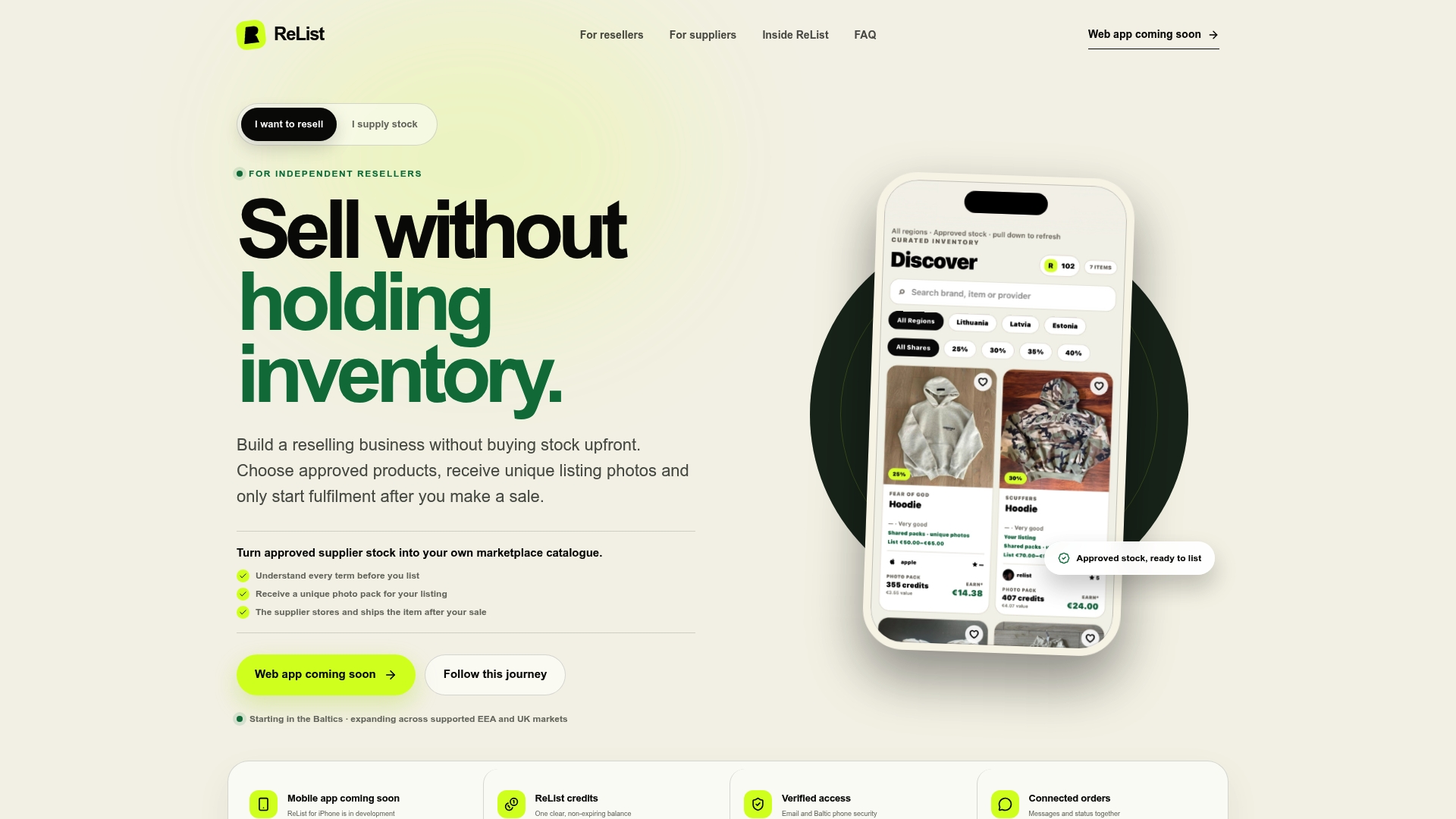
That structure means there is no upfront stock to fund and no separate system to reconcile inventory against, since the supplier handles storage and shipping once an order comes in. The real-time status tracker gives you the order visibility this playbook recommends building or buying, without a separate integration project.
If you want to apply the rollout plan from this guide, the practical next steps involve signing up and browsing an approved product catalog to select a small starting group of listings, using unique listing images provided for each product, and running a handful of real orders through the platform while monitoring a real-time status tracker to see how fulfillment moves from placed to shipped.
You can start that pilot directly on the ReList landing page.
Sources
The claims in this guide draw on a mix of usability research and industry reporting. Baymard’s research on delivery-date visibility in checkout informed the section on tracking and customer trust, while its broader checkout usability benchmarking supported the conversion figures in the failure modes section. NetSuite’s overview of automating order processing shaped the framing of routing as cross-system coordination rather than a single automated step. Comparative user feedback on G2 and supplier reliability reviews supported the guidance on evaluating tools against your own workflow and testing suppliers before scaling automation.
- Use “Delivery Date” Not “Shipping Speed” — Baymard
- Automate order processing — NetSuite
- G2 comparisons — AutoDS vs Spocket
FAQ
Is it possible to automate dropshipping?
Yes, automating inventory sync, order routing, tracking, and returns together is achievable with the right tools and a staged rollout. The key is testing suppliers with real orders before turning on full auto-fulfillment, since supplier reliability, not software, is the usual limiting factor.
Can I make $10,000 per month dropshipping?
Earnings vary widely based on your niche, supplier reliability, and how well your fulfillment and customer service scale, so no fixed monthly figure applies to every seller. Automation can improve margins by reducing manual errors and refund rates, but it does not guarantee any specific income level.
Can you make $2,000 a month dropshipping?
As with any income target, results depend on product selection, supplier quality, and how efficiently orders are fulfilled and tracked. Automating the operational side, inventory, routing, tracking, can reduce the errors that eat into margin, but the revenue side still depends on demand and pricing.
Is automated dropshipping profitable?
Automated dropshipping can be profitable when the underlying suppliers are reliable and the automation includes margin-protecting rules like a pricing floor. Profitability depends more on supplier performance and margin management than on automation alone, which is why testing suppliers before scaling matters.